Quick start (local demo)
How do I try the system quickly?
This guide is only to see the DSP running on your machine: it starts a local demo with a synthetic Brazil seed (sample data on the map), without connecting any database from your organization. You browse the site, explore filters, KPIs, and the map — the fastest path to get to know the UI, not to publish or migrate real data.
Installation with real data
To install and configure with real data, use Full installation.
Prerequisites
| Tool | Version |
|---|---|
| Git | if sibling repositories are not cloned yet |
| Docker | 24+ with Compose v2 |
| Python | 3 |
dsp-core orchestrates building other modules via Docker. If a sibling repository is missing, scripts offer to clone it automatically.
Step 1 — Organize repositories
The DSP is split into sibling repositories on GitHub. We recommend creating a dsp folder and cloning everything at the same level.
The scripts look for each module in this order: first the short folder (backend, frontend, job-data-migration, job-geo-file-generation) and, if the code is not there, the folder named after the repository (dsp-backend, dsp-frontend, dsp-job-data-migration, dsp-job-geo-file-generation). When both are missing, the automatic download creates the repository-named folder. Automatic publishing in CI keeps using the short folder.
Option A — simplest flow (recommended)
Create the folder, clone only the core, and enter it. The ./config.sh, ./setup.sh, and ./start.sh scripts detect missing sibling repositories and offer to clone them automatically next to the core:
mkdir dsp && cd dsp
git clone https://github.com/Rural-Environmental-Registry/dsp-core.git
cd dsp-core
After you accept automatic cloning in the scripts, the typical tree looks like this:
dsp/
├── dsp-core/          ← you work here (config.sh, setup.sh, start.sh)
├── dsp-backend/
├── dsp-frontend/
├── dsp-job-data-migration/
└── dsp-job-geo-file-generation/
Option B — manual clone
Clone all application repositories as sibling folders inside dsp:
mkdir dsp && cd dsp
git clone https://github.com/Rural-Environmental-Registry/dsp-core.git
git clone https://github.com/Rural-Environmental-Registry/dsp-backend.git
git clone https://github.com/Rural-Environmental-Registry/dsp-frontend.git
git clone https://github.com/Rural-Environmental-Registry/dsp-job-data-migration.git
git clone https://github.com/Rural-Environmental-Registry/dsp-job-geo-file-generation.git
Result:
dsp/
├── dsp-core/
├── dsp-backend/
├── dsp-frontend/
├── dsp-job-data-migration/
└── dsp-job-geo-file-generation/
Step 2 — Enter the core
If you are not already inside the core:
Core scripts create .env the first time you run setup — you do not need to create that file manually.
Step 3 — Run setup in demo mode
On Step 3/11 — Setup mode, choose 1 — the text shown by the script is:
  1) Demonstration (built-in Brazil seed, no JDBC)
     Loads demo map data from built-in SQL — no source database or migration job.
     Use when exploring the UI, evaluating the stack, or when you do not have adopter data yet.
This prepares local databases (dsp-db, dsp-geoserver-db), publishes layers on both GeoServers (Exhibition + Download), and applies the demonstration seed. It does not connect to your organization's source database (no external JDBC source) and does not start the migration job — data comes only from built-in sample SQL in the core.
Wait for ./setup.sh to finish completely (all steps through the end, with a success message in the terminal). Only then go to Step 4 — stopping midway leaves databases or GeoServer incomplete.
Step 4 — Start the remaining components
./setup.sh already prepared databases, GeoServers, and demo data. ./start.sh starts the rest of the stack — API (backend), site (frontend), and nginx gateway (single access port) — using what is already in the databases. It does not run the seed or migration job again; it is for turning on the UI and API after the geographic base is loaded.
Wait for ./start.sh to finish before opening the browser.
Step 5 — Access the system
With ./start.sh finished and containers running, open http://localhost:8026/dsp/ in the browser (or the URL shown in step 5 of ./start.sh if you changed port/host in .env):
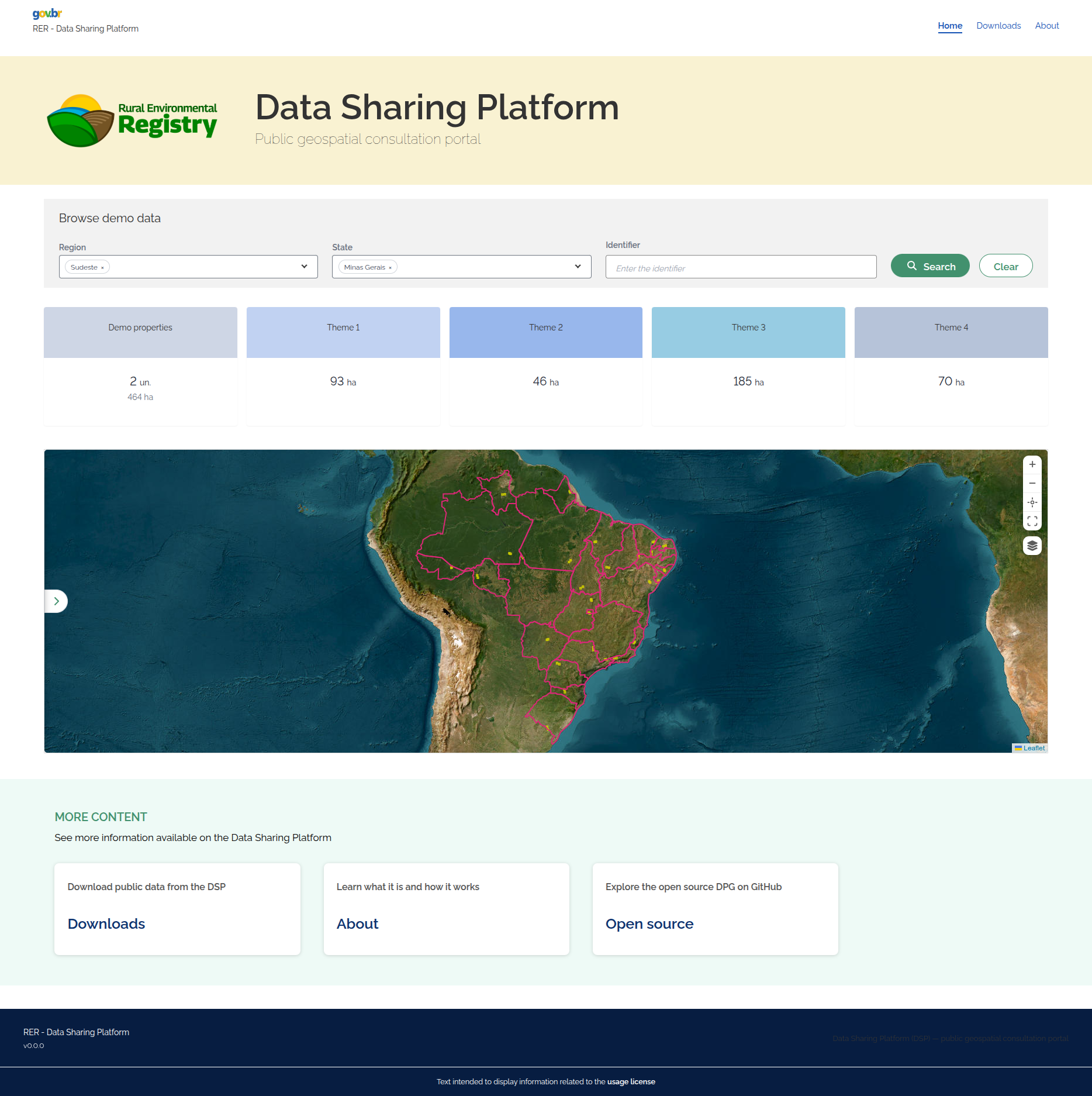
Caption: same public query screen, running locally after ./start.sh (gateway on the configured port, usually http://localhost:8026/dsp/).
Next steps
| I want to... | Page |
|---|---|
| Understand the full architecture | Architecture — Overview |
| Install with real organization data | Full installation |
| Detail the migration job | dsp-job-data-migration — Overview |
| Understand download pre-generation (real adopter) | dsp-job-geo-file-generation |