RER DSP — Documentation
Documentation portal for the Data Sharing Platform (DSP) in the RER ecosystem (Rural Environmental Registry).
RER and DSP in one sentence each
RER (Rural Environmental Registry) is a digital public good (DPG) for registering geospatial environmental information declared on rural properties. The Rural Environmental Registry (CAR) system, enhanced in partnership with Dataprev, was launched at COP30 by Brazil’s Ministry of Management and Innovation as the first Brazilian government digital public good in the Digital Public Goods Alliance (DPGA) international catalog.
In the Brazilian context, the RER registration module corresponds to the Pre-filled Registration Module of SICAR: owners and responsible parties register and update rural properties with pre-filled data and integration across public databases.
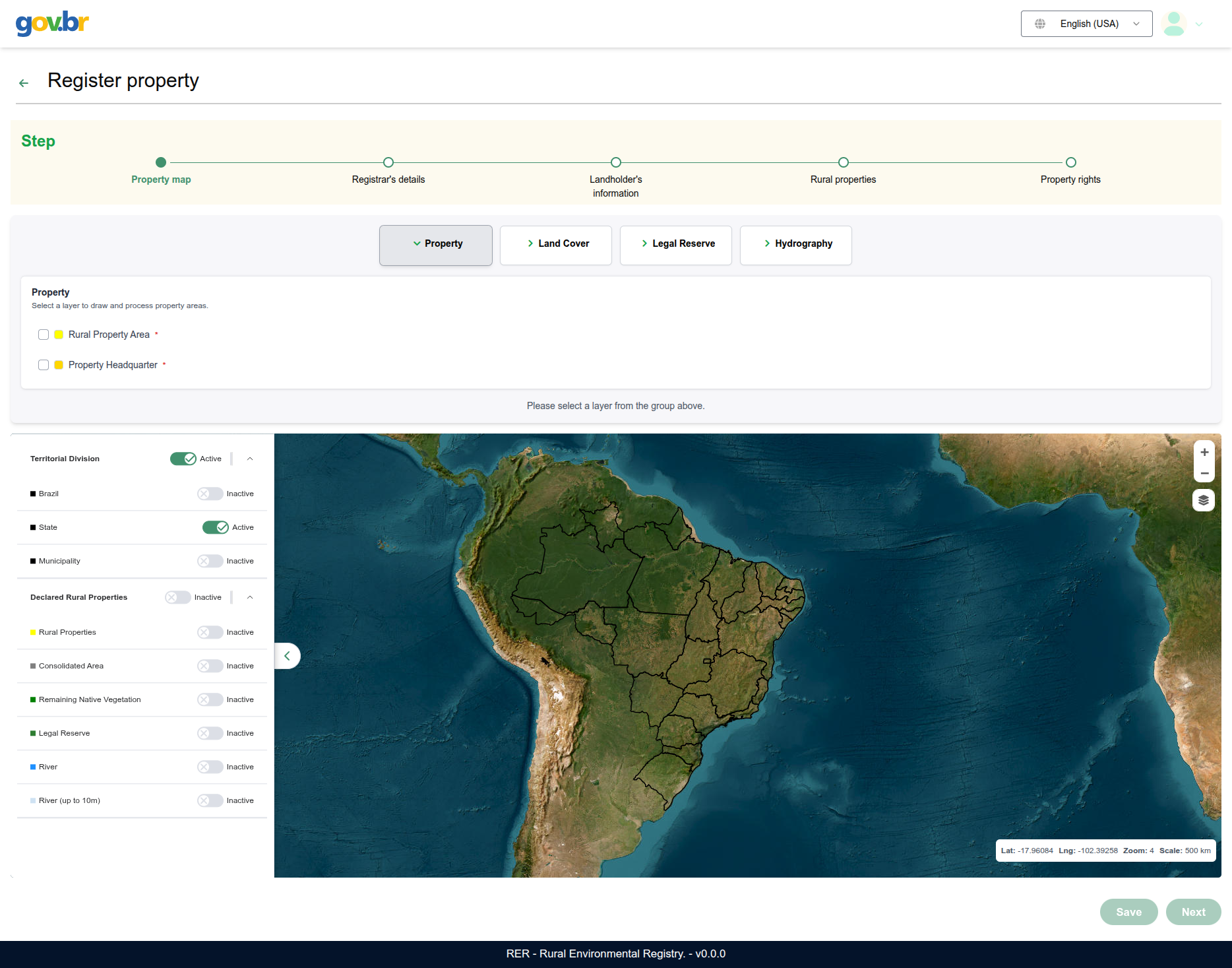
Caption: RER registration module UI (pre-filled registration), with a map to locate and register the rural property.
The DSP (Data Sharing Platform) is the platform that shares, visualizes, and publishes that environmental data for the general public. Although it serves RER, it is not limited to it and can be used in other contexts in a straightforward way. Its architecture combines a REST API, a web frontend, PostgreSQL/PostGIS databases, GeoServer, and data migration and synchronization jobs.
In the Brazilian context, the DSP corresponds to the CAR public consultation: a interface where anyone consults declared environmental data on registered rural properties on a map, with filters, indicators, and geographic layers.
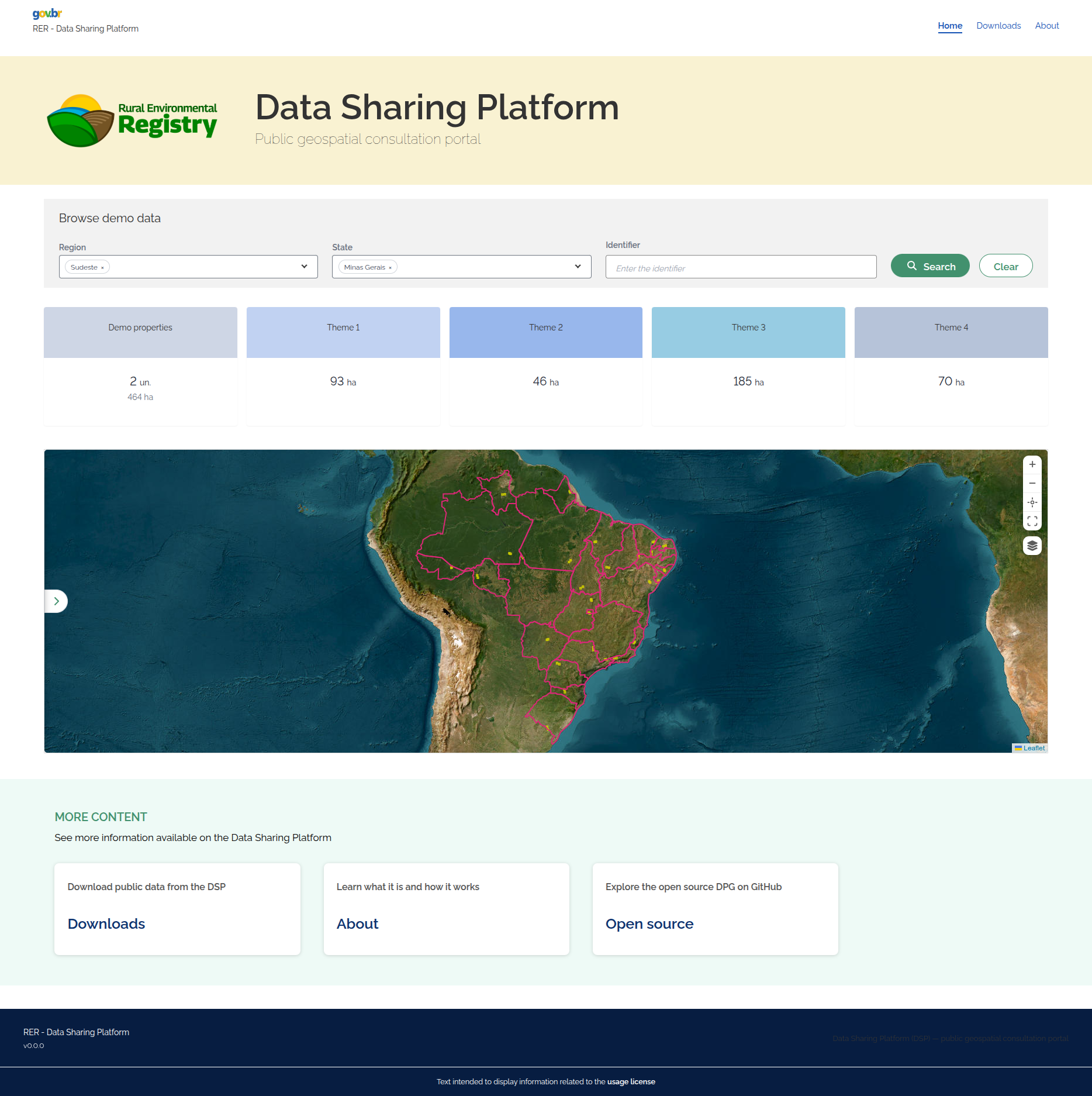
Caption: DSP public consultation home screen—map, territorial hierarchy, and property search (equivalent to CAR public consultation in the Brazilian context).
High-level architecture
flowchart LR
  browser["BROWSER<br/>Public map consultation."]
  gw["GATEWAY<br/>nginx · single HTTP entry.<br/>/dsp/ · /dsp-backend/ · GeoServers."]

  srcDb[("YOUR DATABASE<br/>Your organization's DB to migrate from.<br/>Source for the DSP.")]
  jobMig["JOB-DATA-MIGRATION<br/>Spring Batch ETL.<br/>source → dsp-db + geoserver-db."]
  jobGeo["JOB-GEO-FILE-GENERATION<br/>Pre-generates download files.<br/>"]
  core["CORE<br/>CONFIG · SETUP · START.<br/>Prepares DBs and orchestrates modules."]

  dspDb[("DSP DB<br/>Operational: business + bbox/centroid.")]
  gsDb[("GEOSERVER DB<br/>Full geometry dsp.*<br/>Read by both GeoServers.")]
  objStor[("OBJECT STORAGE<br/>SeaweedFS S3.<br/>")]

  be["DSP BACKEND<br/>REST API and business rules."]
  fe["DSP FRONTEND<br/>Web platform UI.<br/>Consultation, maps, sharing."]

  gsEx["GEOSERVER-EXHIBITION<br/>Publishes layers for viewing.<br/>WMS/WFS map service."]
  gsDl["GEOSERVER-DOWNLOAD<br/>WFS for download export.<br/>Used by the backend."]

  browser --> gw
  gw -->|/dsp/| fe
  gw -->|/dsp-backend/| be
  gw -->|/geoserver-exhibition/| gsEx

  jobMig -->|read| srcDb
  jobMig -->|"business + bbox/centroid"| dspDb
  jobMig -->|"full geom"| gsDb
  core -.config/schema/build.-> jobMig
  core -.-> jobGeo
  core -.-> dspDb
  core -.-> gsDb
  core -.-> objStor
  core -.-> gw
  core -.-> be
  core -.-> fe
  core -.-> gsEx
  core -.-> gsDl

  dspDb --> be
  gsDb --> gsEx
  gsDb --> gsDl
  gsDb --> jobGeo
  jobGeo -->|"pre-generated CSV"| objStor
  be -->|WFS downloads| gsDl
  be -->|CSV when available| objStor

  classDef app fill:#0f766e22,color:#115e59,stroke:#0f766e,stroke-width:2px
  classDef geoCls fill:#16653422,color:#14532d,stroke:#166534,stroke-width:2px
  classDef db fill:#b4530922,color:#92400e,stroke:#b45309,stroke-width:2px
  classDef job fill:#7c2d1222,color:#7c2d12,stroke:#9a3412,stroke-width:2px
  classDef coreCls fill:#312e8122,color:#312e81,stroke:#4338ca,stroke-width:2px
  classDef entryCls fill:#1e3a5f22,color:#1e3a5f,stroke:#2563eb,stroke-width:2px
  classDef storageCls fill:#4c1d9522,color:#4c1d95,stroke:#7c3aed,stroke-width:2px

  class fe,be app
  class gsEx,gsDl geoCls
  class dspDb,gsDb,srcDb db
  class jobMig,jobGeo job
  class core coreCls
  class browser,gw entryCls
  class objStor storageCls
Where to start
The operational entry point is the dsp-core repository: use ./config.sh, ./setup.sh, and ./start.sh to bring up the stack with Docker Compose (PostgreSQL/PostGIS databases, nginx gateway, Exhibition and Download GeoServers, backend, frontend, and migration job).
With a real JDBC source, the core also starts object storage (SeaweedFS) and the geo-file job (pre-generated download CSV), via the Compose profile object-storage. In Quick start (demo with synthetic seed) those two services are not included—downloads use GeoServer Download.
Where to start
| Goal | Page |
|---|---|
| Understand what the DSP is and whether it fits your organization | What is the DSP |
| Learn about the 6 modules and how they connect | DSP modules |
| Try the DSP: run a local demo in minutes (synthetic seed, evaluation only) | Quick start |
| Install everything on your own infrastructure | Full installation |
Documentation map
| Section | Content |
|---|---|
| What is the DSP | Purpose, problem solved, use cases |
| DSP modules | Responsibility and technology of each module |
| Quick start | Local demo for testing—synthetic seed, no external database |
| Installation guides | Full installation with a real JDBC source |
| Architecture | Layers, data flow, databases |
| Module reference | Technical detail per repository |
This documentation (dsp-docs) is the single technical documentation source for the DSP ecosystem—other repositories do not maintain their own docs/ folders.